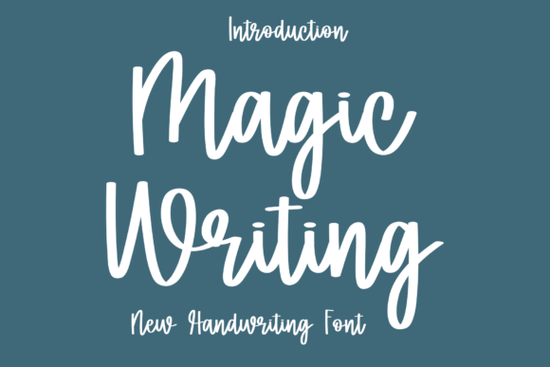
If you're looking for a script font that feels personal but polished something that works as well on a wedding invitation as it does over a lifestyle photo then Magic Writing Font is worth your time. It’s not overly ornate, nor is it too casual. Instead, it strikes a quiet balance: fluid enough to feel handwritten, refined enough to suit luxury branding. Designers and small business owners tell us they reach for it when they need warmth without sacrificing sophistication especially for print-on-demand stationery, boutique packaging, or editorial projects where tone matters as much as typography.
What makes Magic Writing Font different from other script fonts?
Most script fonts fall into one of two camps: either they’re tightly spaced and formal (like calligraphy from a century ago), or they’re loose and playful (great for kids’ labels, less so for a high-end skincare brand). Magic Writing Font sits comfortably in the middle. Its letterforms have gentle contrast, soft entry and exit strokes, and natural variation in weight all built-in, no manual tweaking needed. That means you get rhythm and personality right out of the box, even if you’re not a typographic expert.
It also includes full Latin character support, standard ligatures, and alternate characters (like swash capitals and contextual endings), which helps avoid repetition when setting longer text. You’ll notice it especially in words like “forever,” “celebrate,” or “together” places where subtle flourishes add meaning without shouting.
Where do people actually use this font?
We’ve seen Magic Writing Font used across real projects not just mockups:
- Wedding stationery: Save-the-dates, menus, and vow books where couples want elegance without stiffness.
- Lifestyle photography overlays: Think Instagram story quotes, blog headers, or printed photo captions especially with muted tones or film-style imagery.
- Small-batch product labels: From artisanal honey jars to handmade soap tags, its readability at small sizes stands out.
- Editorial signatures: Used by independent magazines and newsletters to sign off articles with a human, intentional touch.
It pairs well with clean sans-serifs (like Montserrat or Inter) or even light serifs (such as Playfair Display), making it flexible for both digital and print layouts. If you’ve tried Ardenta Calligraphy and liked its structure but wanted something airier, or if you’ve used More Gelato Please for fun projects but need more maturity for client work, Magic Writing Font often becomes the go-to middle ground.
How does it compare to similar script fonts on Creative Fabrica?
Compared to Handmade Velvet, Magic Writing has less texture and more consistency ideal when you need legibility at smaller sizes or across multiple formats (e.g., web + print). And unlike Ardenta, which leans more structured and upright, Magic Writing flows left-to-right with gentle momentum, almost like ink drying mid-stroke.
It’s also lighter in visual weight than More Gelato Please, which gives it better versatility for minimalist layouts. You won’t need to adjust tracking or kerning as much and that saves time, especially if you’re juggling several client files or seasonal product drops.
Is it easy to install and use?
Yes. Like most Creative Fabrica fonts, it comes as OTF and TTF files, compatible with Adobe apps (Photoshop, Illustrator, InDesign), Canva (via upload), Affinity Suite, and even Cricut Design Space. No special software or activation steps just unzip, install, and select it from your font menu. We’ve had crafters tell us they used it straight away on vinyl decals and sublimation mugs without needing tutorials.
One note: because it’s a connected script, some letters (like “f” + “l”) join automatically in apps that support OpenType features but if you’re using basic word processors or older design tools, you may want to check spacing manually. For most users, though, the default settings work fine.
If you’re curious about how script fonts behave in real-world production, Magic Writing Font shows up consistently in top-rated wedding templates and best-selling POD bundles. You’ll also find designers pairing it with Ardenta Calligraphy Font for layered headings, or using More Gelato Please Font for contrast in social media carousels.
Before you download or license it:
- Check your intended use case does it match the font’s strengths (elegant, flowing, warm)?
- Preview it with your actual copy, not placeholder text (“Lorem ipsum” won’t show how “champagne” or “vintage” connects).
- If you’re selling physical products, confirm the license covers commercial use (it does Creative Fabrica’s standard license allows unlimited end products).
- Try it alongside one of your current go-to fonts to see how it changes the mood of the layout.
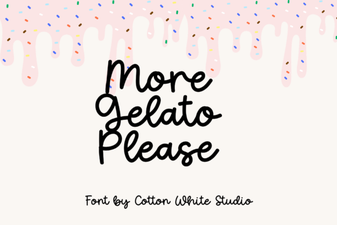 More Gelato Please Font: Creative Design Inspiration
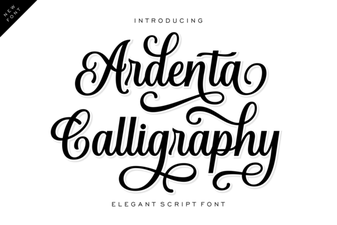 Ardenta Font: Elegant Calligraphy for Creative Projects
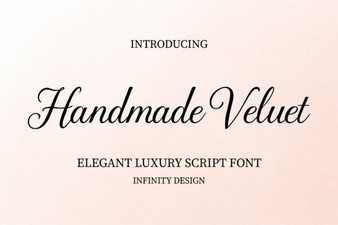 Velvet Lettering for Handcrafted Design Projects
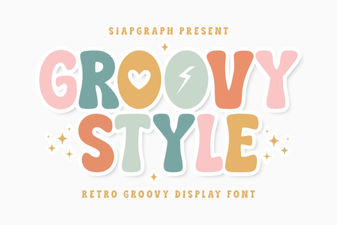 Groovy Font Designs for Your Creative Projects
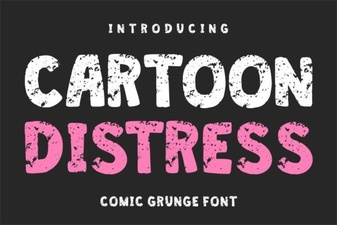 Cartoon Fonts for Eye-Catching Typography Projects
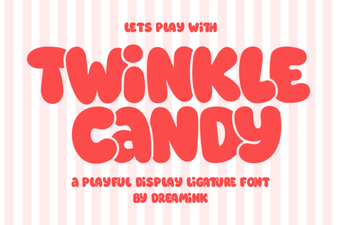 Twinkle Candy Font: Fun Design Projects & Ideas